Before applying for your free website you need to be a registered user. See the helpsheet on Registering for an Account.
Once you have registered and logged in you can apply for your website. The information you enter on the application form will be used to create the homepage of your website. You can always edit these details once the site is created.
To apply for a website:
- Go to the Voice homepage.
- Click on Apply for a free website - you will be asked to log in if you have not already done so.
- Fill in the application form - the fields indicated by a * must be filled in.
- Organisation Details - Enter the name and description of your organisation. These details will appear on your website and in the A-Z directory of websites.
- Organisation Contact Details - These details will also appear on your website, though you can remove or edit them once the site is created.
- Keywords - Select a number of keywords to help users find your site in the A-Z Directory.
- Your website's URL - The initial URL for the site, which will be:
https://e-voice.org.uk/<your-chosen-name>
If you want to use your own domain name with your site you can configure this after the site has been created.
- You need to agree to the Terms and Conditions before submitting your application form. You can even read them first if you're keen!
Website approval
Once you have submitted the application form, you will receive an email from the Voice administrators within a day or two informing you whether your application has been successful.
If successful your site will be created and you will be the administrator of it.
Sometimes the Voice administrators may email to ask for further details about your site, for example if it isn't clear that you are creating a site for a non-profit group. To speed up the application process ensure that the organisation name and description make this clear.
To access your website either:
- Find it in the A-Z Directory listing from the Voice homepage.
- Use the link in the confirmation email sent to you.
What next?
Your website will be created using the details that you gave on the application form.
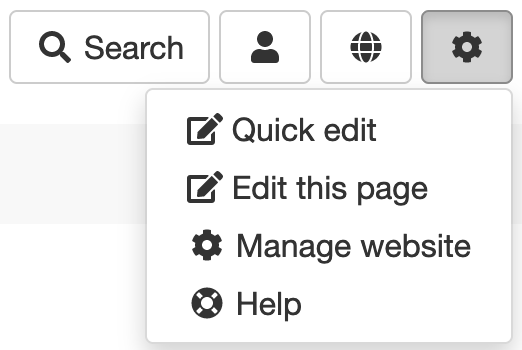
To edit the website, go to your site's homepage, log in, then use the Admin menu to access the management pages:
Further reading...
To help get started with your new website, the Getting Started helpsheet is a perfectly reasonable place to start. (The clue, largely, is in the name!)
Once you're up and running, head over to the rest of the documentation and get stuck in!